iPhone as an orcarnina

 Geotagging is now quite a popular "exercise" for people use on line album to share their photos. With an additional meta data of geo location, photo album can be organized in a new way.
However the more interesting thing is how this geolocation technology to let people see the world from different aspects and with more details. When I logged on to Flicrk, I could see 38 million photos with location information.
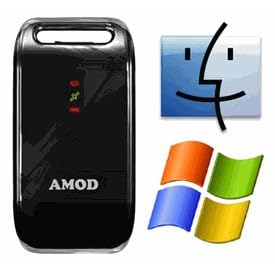
Then comes the question of how to match geolocation data with the photos you take. The trick is the gps logger logs your travel routes and time simultaneously. Standard digital cameras store some meta data, such as when the photo is taken, settings of the camera, picture resolution, ISO value, and so one, of pictures you take. You need a software to sync both picture and coordinates by time information.
JetPhoto is a free software to allow you do such things. It has a quite well designed mac version. Download and install it to your macbook. After you come back from the trip, just do the following:

Google 公司網站裏的「Google發現的十個真相」中有一項:「Democracy on the web works」。 延續對梅田望夫的「網路巨變元年」一書讀後的思考,與I最近的「紀錄片的熱門」一文中稍稍觸及的媒體問題,不禁有這樣的思考:能在網路上用某種方式體現的民主,要如何走出電腦的框架,進入到大部份人們的生活當中? 我想到我們之前開車上班的路上,總是收聽某一個電台,因為似乎只有那一個電台,才「偶爾」有些知性的資訊,適合在不能閱讀的情境下收聽。但因為該台的報導或是主持人的立場過於單一,常讓我們聽不下去。後來比較多的狀況是用podcast下載BBC的新聞,或是Itunes U的演講。但也因此少了了解國內動態的機會。 從一個對網路資訊革命後知後覺的一般人,慢慢轉變受到它的某個「民主」程度的影響的我,常常會有一個感受,「要是每個人都可以參與這場在網路上進行的盛會,也許力量會更大呢!」(例如,Wireless Data 低價與普及後,人們就可以訂閱自已有興趣的網路新聞頻道,然後透過語音的方式將訂閱的新聞播報出來,這樣是不是可以在某種程度上把網路上的媒體自由帶進沒有電腦的生活情境中呢?) 讓IT從電腦裏走出到生活的每個角落,看來除了技術的突破,持續的低價革命與新的商業模式,才能讓資訊革命的力量延申出去吧。
Blogged with Flock
關於網際網路的發展與帶來的知識革命,一直有一個模糊的視野,最近讀了梅田望夫的「網路巨變元年」,視野慢慢清楚了起來。
梅田望夫清楚地指出一個正在發生的巨大革命:接近無限大 x 接近無 = 某種價值,貫穿全書的精髓「不特定的多數」再次陳述「長尾理論」指出的現象。網路、低價、部落格把眾多原本可能不具意義、微小的個人智慧或行動集結起來之後,可以形成「某種價值」。
透過部落格,我得到最大的收獲就是,「無法變現的資訊或創意,與其自已囤積起來,不如免費分享出來,可以得到(無形的)很大的利益。
Blogged with Flock

